
ChatGPT may be one of the most recognizable AI assistants, but it isn’t the only way to use generative AI. Open-source alternatives are giving users more control over how they run AI models, manage their data, and customize their workflows.
According to Linux Foundation research, 89% of organizations use some form of open-source software in their AI stack, while 63% use an open model. That shows how widely open technologies are being adopted in AI.
For everyday users, the appeal is more practical. Some open-source AI chatbots can run directly on your computer, while others let you connect different models, work with private documents, or build a customized AI assistant.
In this guide, we’ll explore seven open-source alternatives to ChatGPT, explain where each one stands out, and help you decide which option fits your needs.
7 Best Open Source Alternatives to ChatGPT
The table below gives a quick overview of the seven best self-hosted ChatGPT alternatives you can explore.
| Open-Source Tool | Best For | Platform |
|---|---|---|
| Jan AI | Private AI conversations using local models | Desktop |
| LibreChat | Accessing multiple AI providers in one interface | Self-hosted web app |
| AnythingLLM | Chatting with PDFs, documents, and knowledge bases | Desktop / self-hosted |
| GPT4All | Running downloadable language models offline | Desktop |
| Cherry Studio | Managing multiple AI models and assistants | Desktop |
| NextChat | A lightweight, customizable AI chat interface | Web / desktop |
| Chatbox AI | Simple conversations across different AI models | Desktop / mobile |
These tools aren’t identical ChatGPT alternatives. Some provide the chatbot interface but require you to download a compatible language model or connect an external API before you can start chatting.
In the following sections, we’ll look at what each alternative offers, its practical limitations, and the type of user it suits best.
1. Jan AI – Best for Private, Offline AI Chat
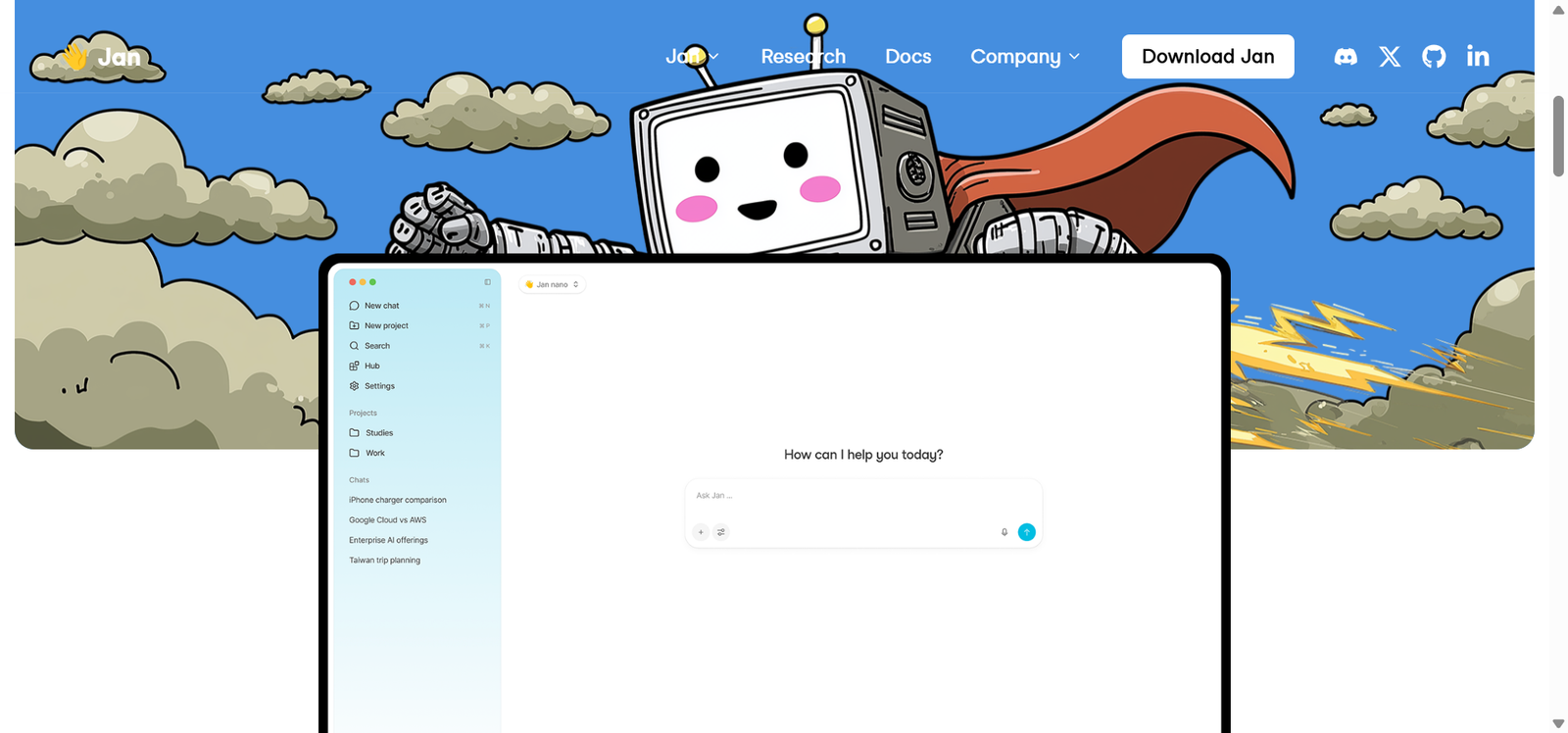
Jan AI is an open-source AI assistant designed to run language models locally on Windows, macOS, and Linux. Unlike cloud-based chatbots that process every prompt on remote servers, Jan can generate responses directly on your device.
Its interface resembles a conventional AI chatbot, making it relatively approachable for people who are new to local language models. You can download compatible models through Jan’s built-in model hub, organize conversations into projects, and configure custom assistants for different tasks.
Jan also supports cloud AI providers, including OpenAI, Anthropic, and Google. This means you can use smaller models locally for everyday questions and switch to a cloud model when a task requires capabilities your hardware cannot comfortably support.
2. LibreChat – Best for Switching Between AI Models
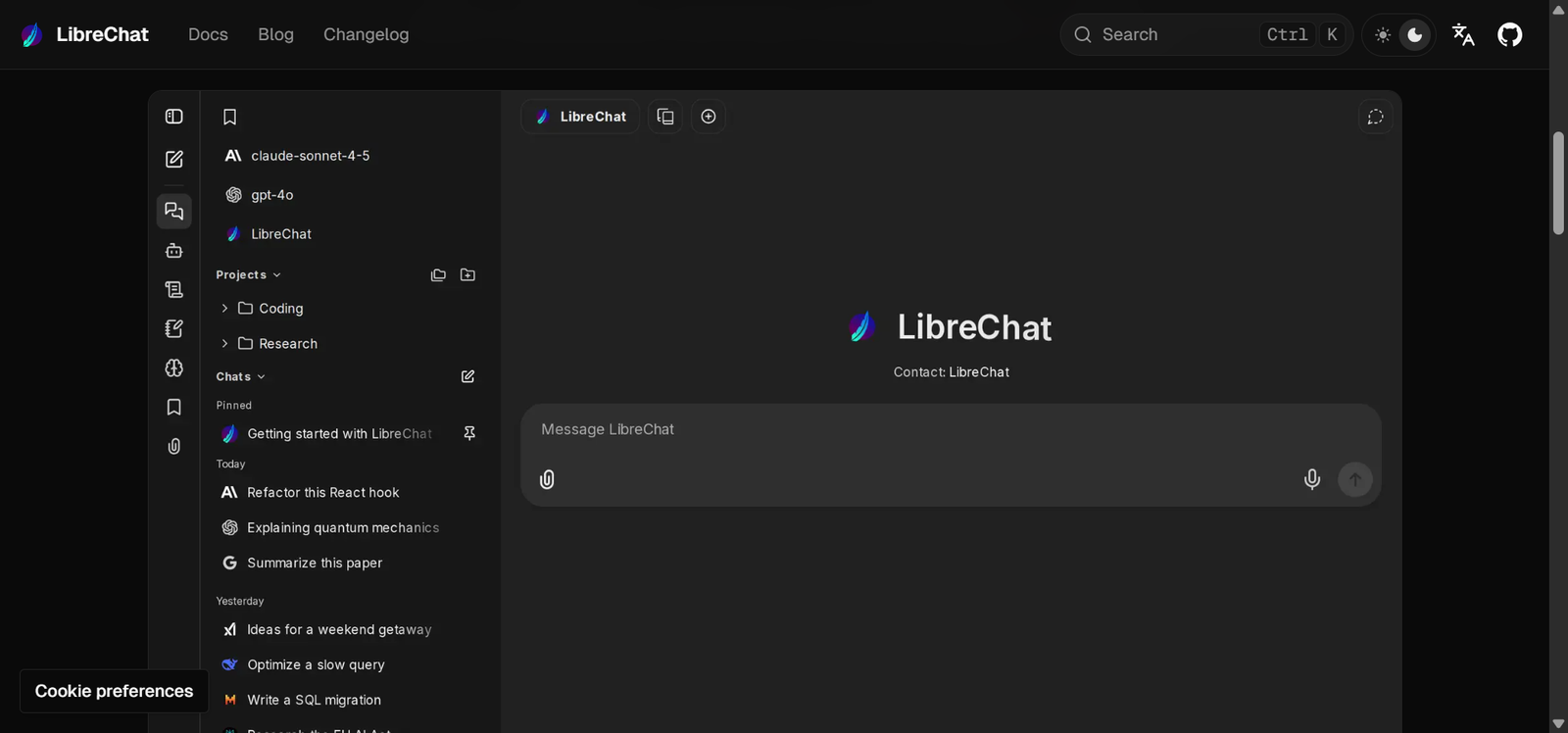
LibreChat is an open-source, self-hosted AI chat application that brings different language models and AI services together in one interface.
Rather than opening several separate chatbot websites, users can configure LibreChat to access supported model providers from a single workspace. It also supports custom endpoints, making it useful for people who want to connect locally hosted models through tools such as Ollama.
LibreChat goes beyond basic conversations with features such as AI agents, tool integrations, file interaction, and configurable model settings. These capabilities make it especially interesting for people who want to create a more personalized AI workspace.
3. AnythingLLM – Best for Chatting With Your Documents
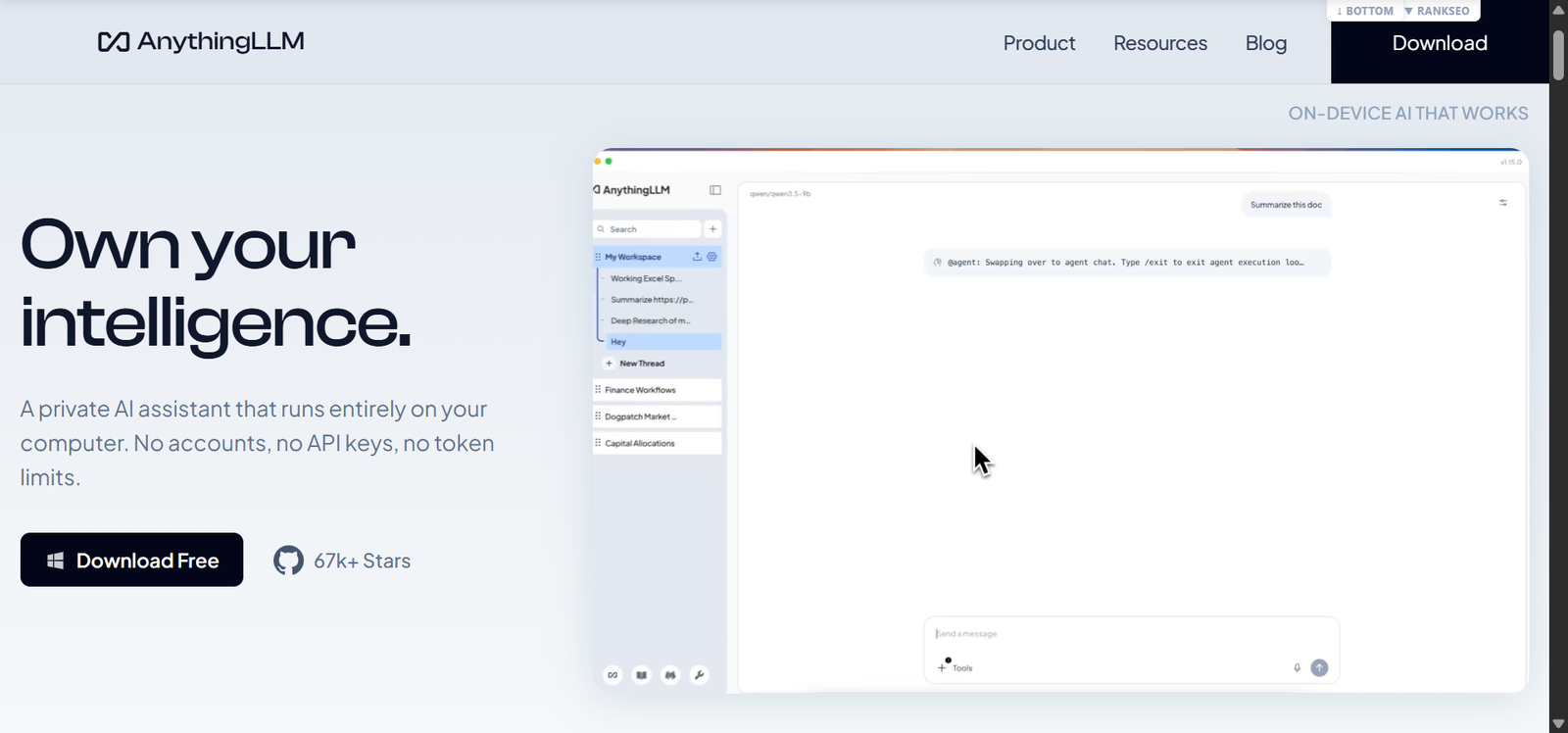
AnythingLLM is an open-source AI application that combines chatbot conversations with document analysis, knowledge bases, and customizable workspaces.
Its biggest advantage is the ability to use your own information as context. Instead of asking an AI model a general question, you can create a workspace containing documents and then ask questions related to those materials.
AnythingLLM supports retrieval-augmented generation (RAG), a technique that retrieves relevant information from documents and provides it to a language model while generating an answer.
It also offers local-model support and connections to external AI providers. The desktop version is intended for individual use, while the Docker version supports browser access and multi-user deployments.
4. GPT4All – Best for Running AI on Everyday Computers
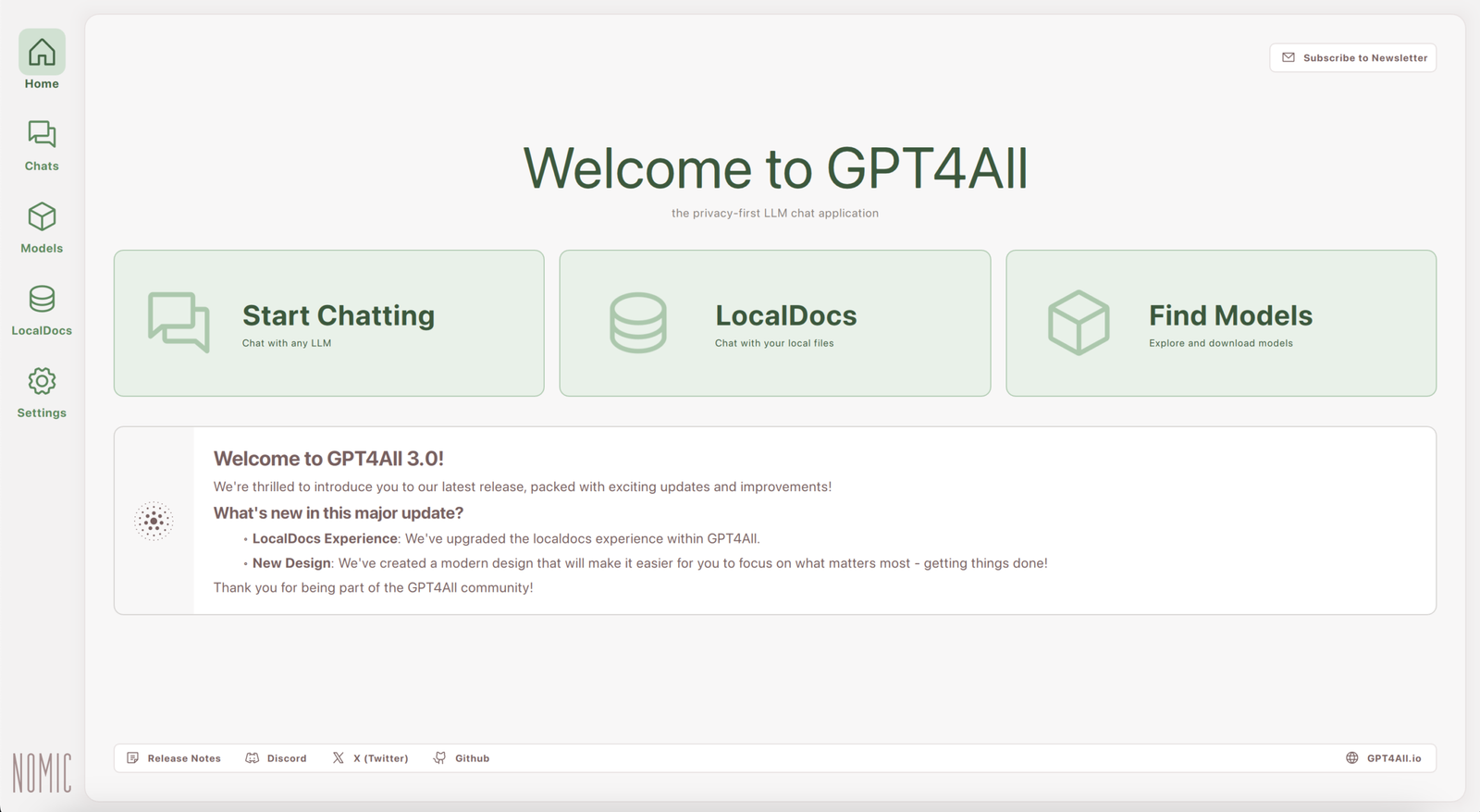
GPT4All is an open-source desktop application developed by Nomic AI that lets users download and run language models on their own computers. One of GPT4All’s biggest advantages is accessibility.
You don’t need a dedicated graphics card or a paid API subscription to get started. The application supports Windows, macOS, and Linux, and its model browser helps users find downloadable models suitable for their systems.
GPT4All also includes a feature called LocalDocs, which allows you to connect local files and folders to your conversations. Instead of relying entirely on a model’s existing knowledge, it can retrieve relevant information from your documents to help answer questions.
5. Cherry Studio – Best for Managing Multiple AI Assistants
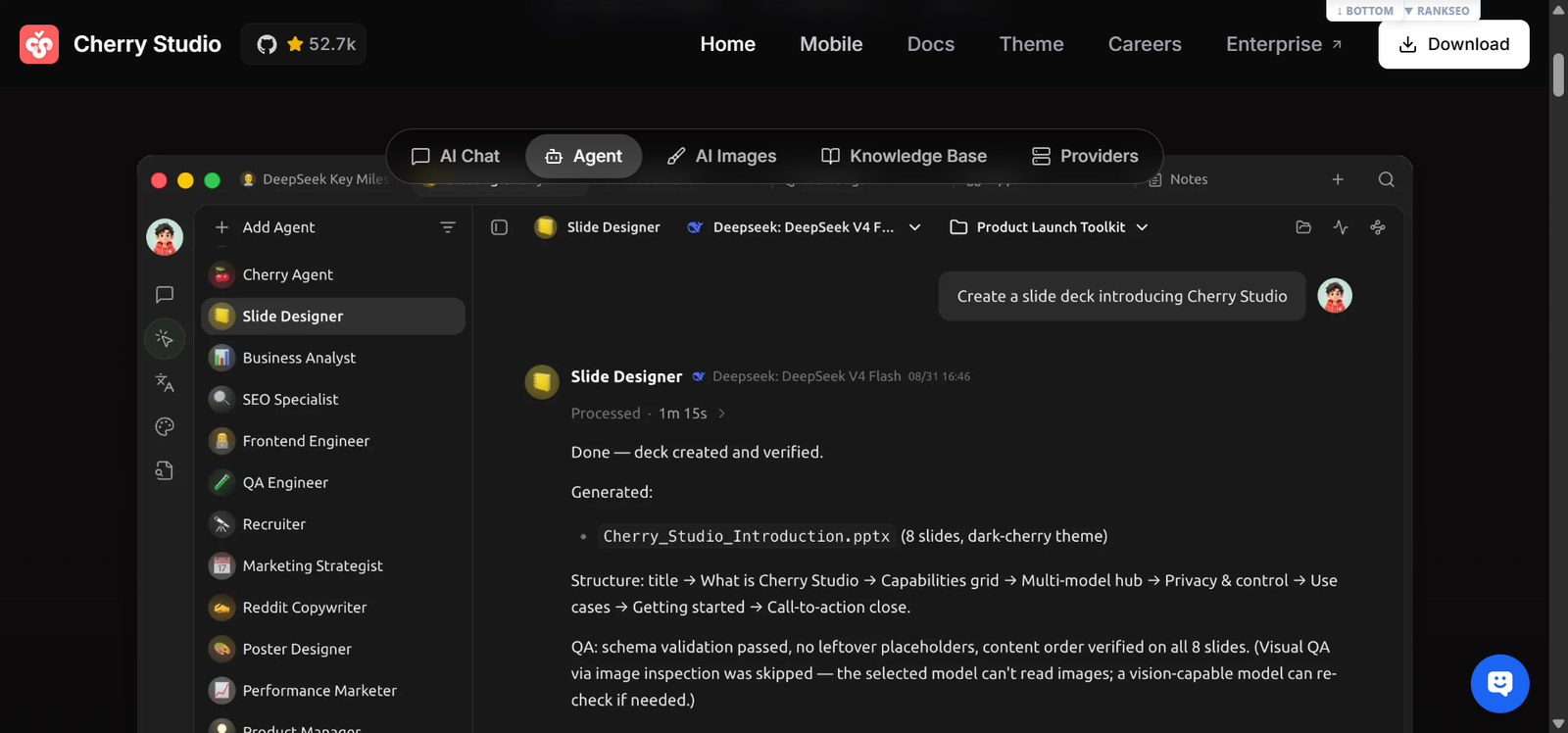
Cherry Studio is an AI desktop application that brings multiple language model providers and customizable assistants into one workspace. Rather than treating every conversation the same way, Cherry Studio allows users to create or select assistants for different activities.
The project also supports local AI models through integrations with tools such as Ollama and LM Studio. Users can connect supported cloud providers, organize conversations, and compare outputs from different models.
Cherry Studio’s Community Edition uses the AGPL-3.0 open-source license. While the application can be used without paying for a commercial software license, supported cloud AI services may charge separately for usage.
6. NextChat – Best for a Lightweight ChatGPT-Style Interface
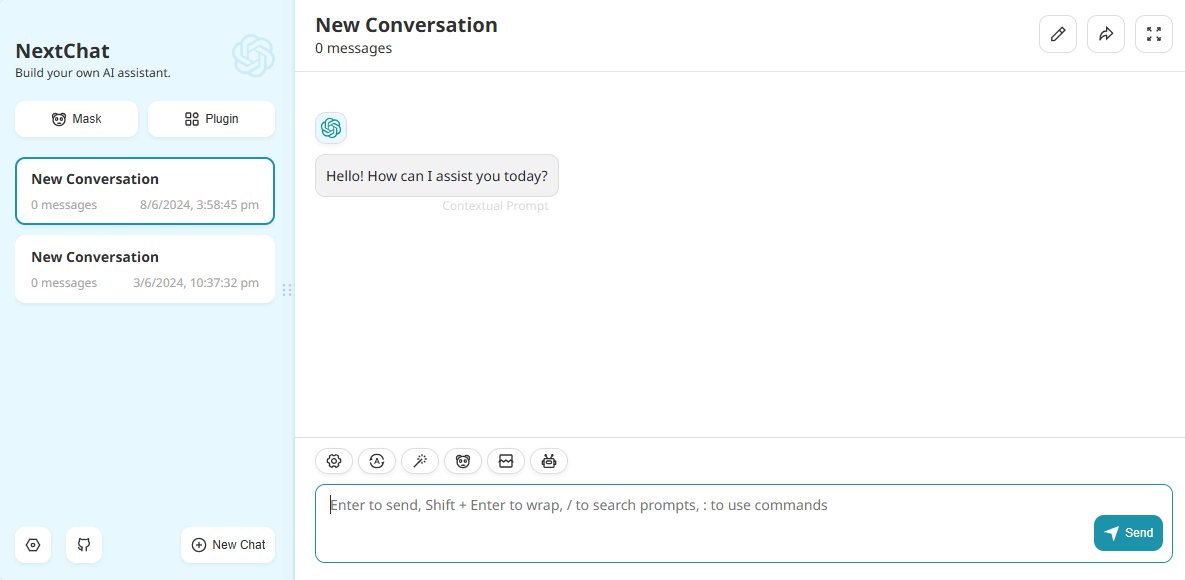
NextChat is an open-source AI chat application designed around a relatively lightweight and customizable user experience. The application supports multiple AI providers and offers web and desktop access.
Its main appeal is simplicity. Rather than building an extensive AI workspace with numerous business features, NextChat focuses on providing a convenient interface for interacting with language models.
Developers can also deploy their own instances, making it useful for people who want more control over their chat environment. NextChat’s source code is published under the MIT license, and self-hosting the application is an option.
7. Chatbox AI – Best for Simple Multi-Model Conversations
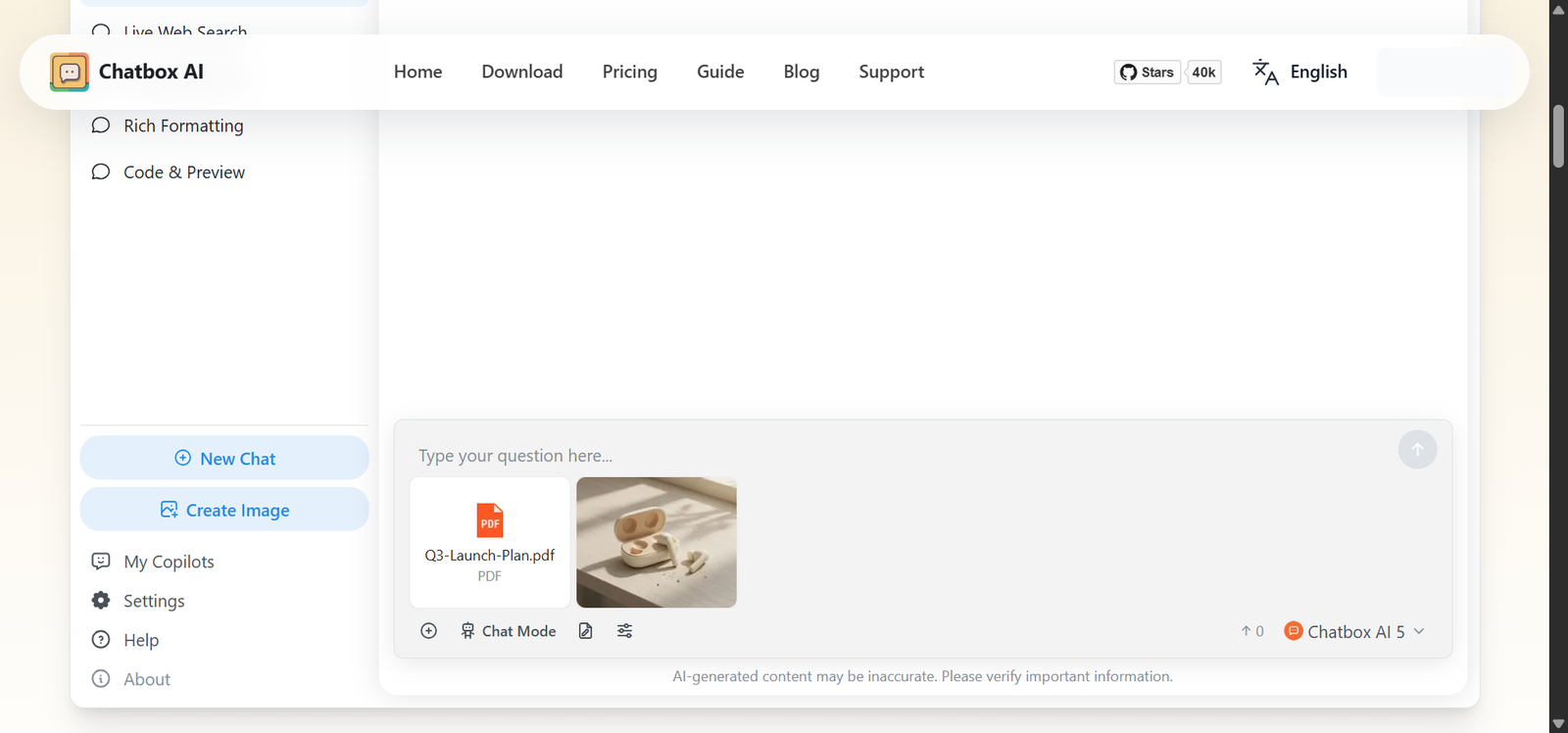
Chatbox AI Community Edition is a desktop AI chat client that provides a single interface for working with different language models. Instead of requiring users to visit multiple chatbot websites, Chatbox lets them manage conversations within a desktop application.
The Community Edition supports Windows, macOS, and Linux and emphasizes a relatively straightforward installation process. Conversation storage is handled locally, although the actual processing location depends on the AI provider you choose.
The project’s Community Edition is open source under the GPLv3 license. This distinction matters because Chatbox also has an official edition with different features and distribution terms. It’s ideal for freelance writers who use different AI models for brainstorming, rewriting, and coding assistance.
Open Source vs. Proprietary AI Chatbots: What’s the Difference?
Proprietary chatbots like ChatGPT, Claude, and Gemini are generally operated by companies that control their underlying systems. Users access these services through websites, apps, or APIs, but cannot freely inspect or modify all their internal components.
Open-source AI applications, on the other hand, make their source code available under licenses that permit users to inspect, modify, and redistribute it. Depending on the application, you may be able to host it yourself, connect different AI models, or run conversations locally.
The table below shows the key differences between open source and proprietary AI chatbots based on various features.
| Feature | Open-Source AI Chatbots | Proprietary AI Chatbots |
|---|---|---|
| Source code | Available to inspect and modify under an open-source license | Core implementation generally remains private |
| Licensing | Governed by licenses such as MIT, Apache 2.0, or GPL | Governed by the provider’s commercial terms |
| AI models | May support local, open-weight, or proprietary models | Usually centered on the provider’s own models, sometimes with alternatives |
| Privacy | Local processing is possible with supported models | Prompts are generally processed through the provider’s infrastructure |
| Hosting | Some applications can run locally or on private servers | Typically operated through the provider’s cloud services |
| Costs | Software may be free; hardware, hosting, and APIs can cost money | Often offers free tiers alongside subscriptions or usage-based pricing |
| Maintenance | Self-hosting users may manage updates, security, and infrastructure | Providers generally maintain the hosted service |
| Customization | Greater potential to modify interfaces, integrations, and workflows | Usually limited to supported settings, APIs, and customization features |
According to the Stanford AI Index Report 2026, the performance gap between leading open-weight and proprietary AI models was just 3.4% in March 2026 on the Arena leaderboard. This shows that downloadable AI models can compete closely with proprietary models, although performance still varies depending on the task.
For organizations using several AI models, software licensing is only one consideration. Managing access, monitoring usage, and controlling costs are also important parts of AI governance.
Can Open Source AI Chatbots Work Without the Internet?
Yes, many open-source AI chatbots can work without an internet connection, provided you install a compatible language model on your computer first. Tools such as Jan AI, GPT4All, and AnythingLLM support local AI models, allowing you to generate responses without sending every prompt to an external server.
However, you’ll typically need an internet connection during the initial setup to download the application and language model. Once everything is installed, supported local models can work offline.
Your computer’s hardware also matters. Smaller AI models may run on ordinary laptops, while larger models require more RAM, storage, and processing power. A dedicated GPU can improve performance, but isn’t always necessary.
For example, if you install GPT4All and download a compatible model, you can use it to draft emails, summarize text, or brainstorm ideas without an active internet connection.
Are Open Source ChatGPT Alternatives Really Free?
Most open-source ChatGPT alternatives are free to download and use, but that doesn’t mean every feature or AI model is free. The total cost depends on how you run the application and which language model you connect to it.
For instance, GPT4All and Jan AI allow you to download compatible models and run them on your own computer without paying ongoing API fees. However, you still need suitable hardware and electricity to operate them.
Other applications, such as LibreChat and Cherry Studio, support commercial AI providers. If you connect them to paid APIs, you’ll generally be charged according to the provider’s pricing.
Are Open Source AI Chatbots More Private Than ChatGPT?
Open-source AI chatbots can offer greater privacy, particularly when you run models locally, but they aren’t automatically more private than ChatGPT.
Privacy concerns aren’t limited to open-source applications. Our guide on ChatGPT privacy and security risks explores common concerns about sharing personal information, data handling, and the reliability of AI-generated responses.
The biggest advantage of local AI is that your prompts and documents can be processed directly on your computer instead of being sent to an external AI provider.
However, privacy depends on how the application is configured. If you connect an open-source interface such as LibreChat to OpenAI or another cloud provider, your prompts still travel to that provider for processing.
Some applications may also collect diagnostic information or usage analytics, depending on their settings. Open-source code makes independent inspection possible, but doesn’t guarantee that all data collection is disabled.
Final Verdict
If your priority is privacy and offline access, Jan AI and GPT4All are sensible starting points. Though if you regularly work with PDFs, research documents, or personal knowledge bases, AnythingLLM is worth exploring.
For people who want access to multiple AI providers, LibreChat and Cherry Studio offer more flexibility. LibreChat is particularly suitable for self-hosted environments, while Cherry Studio provides a desktop experience for managing different models and assistants.
Meanwhile, NextChat and Chatbox AI Community Edition are worth considering if you prefer a straightforward interface without unnecessary complexity.
For additional tools covering research, writing, meetings, and productivity, explore our comparison of AI tools for freelancers.
FAQs
What Is the Best Open Source Alternative to ChatGPT for Beginners?
Jan AI and GPT4All are among the most beginner-friendly open-source alternatives to ChatGPT. Both offer desktop applications with straightforward interfaces and support locally installed AI models. Jan AI provides a familiar chatbot experience, while GPT4All focuses on making offline AI accessible without requiring advanced technical knowledge.
Can Open Source AI Chatbots Run on a Laptop?
Yes, many open-source AI chatbots can run on laptops, including Windows, macOS, and Linux devices. Applications such as Jan AI and GPT4All support smaller language models that can run without a dedicated graphics card. However, performance depends on available RAM, processing power, and model size. Larger models may require more powerful hardware.
Do Open Source AI Chatbots Require Coding Knowledge?
No, coding knowledge isn’t necessary for every open-source AI chatbot. Desktop applications such as Jan AI, GPT4All, and AnythingLLM provide graphical interfaces that simplify installation and everyday use. However, self-hosted platforms such as LibreChat may require familiarity with Docker, server configuration, or API settings.
Can Open Source Alternatives Use ChatGPT Models?
Yes, some open-source chatbot applications can connect to OpenAI’s models through its API. LibreChat, Cherry Studio, and other compatible applications allow access to supported OpenAI models using an API key. However, these models remain proprietary, and API usage may involve additional charges. Using an open-source interface doesn’t make the underlying AI model open source.