
You might have seen people talking about Jev on Instagram and wondered how it actually works.
I had to join the waitlist myself before I could start using Jev. However, that has since changed, so new users can now sign up without waiting for approval. Once you’re in, though, the tool is surprisingly straightforward to understand.
Jev works differently from tools like ChatGPT or Claude. It’s designed to make structured decisions from information you give it. No long or open-ended answers. You provide the context, define what you want Jev to decide, and it returns an answer you can use.
If this is something that excites you, I’ll show you how to use TypeSafe AI’s Jev. You’ll learn about the Playground, understand Choice, Score, Noul, confidence levels, and API access.
Jev is TypeSafe AI’s first public System One Model, built to make fast, structured decisions inside software. It takes the information you provide and returns a typed decision with probabilities and a confidence score that an app or workflow can use directly.
In simple terms: You give Jev some context, ask it a specific question, and it gives you a decision your software can act on.
How to Use TypeSafe AI’s Jev (Step by Step)
TypeSafe has made some pretty big claims about Jev. According to them, Jev can return decisions in around 70–500 milliseconds. Moreover, its published workflow tests showed results as high as 193.6× faster and 444.6× cheaper than the frontier models.
Those are impressive numbers on paper. So, let’s actually use Jev and see what the experience looks like from start to finish.
Step 1: Create Your TypeSafe Account and Open Jev
Just a few days ago, getting access meant joining TypeSafe’s waitlist and waiting for approval. That has changed since. TypeSafe announced on Sept 27, 2026, that Jev is now open to everyone, so you can create an account and start using it.
Go to TypeSafe AI and click Create your account. You’ll be taken to the TypeSafe console, where you can sign up or sign in to an existing account.
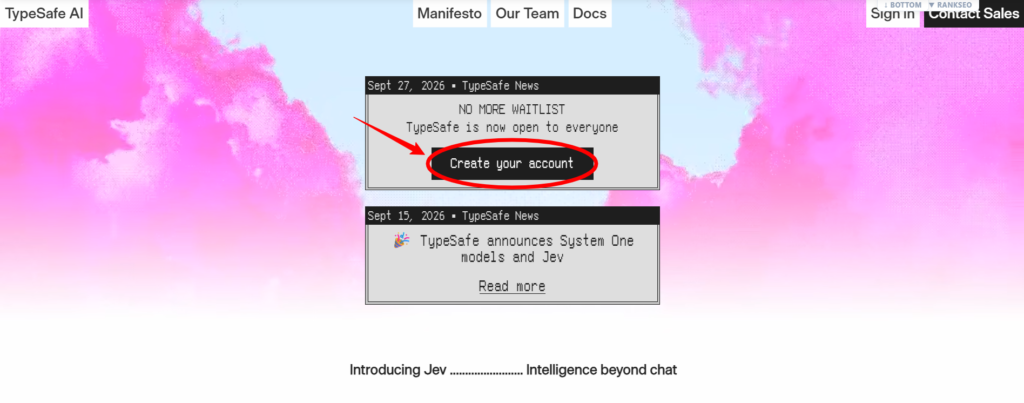
Once you’re inside, open the Playground. This is the easiest place to experience with Jev before worrying about API keys or code.
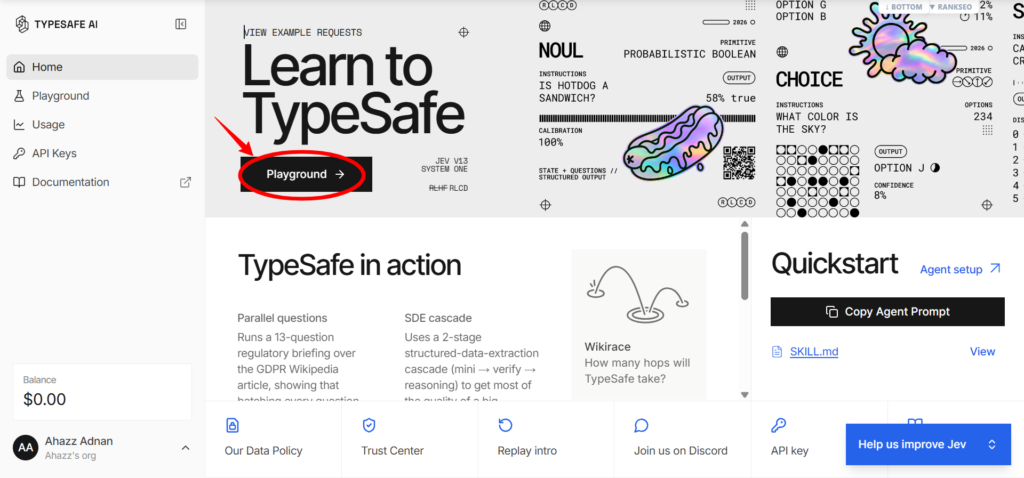
Step 2: Add the State
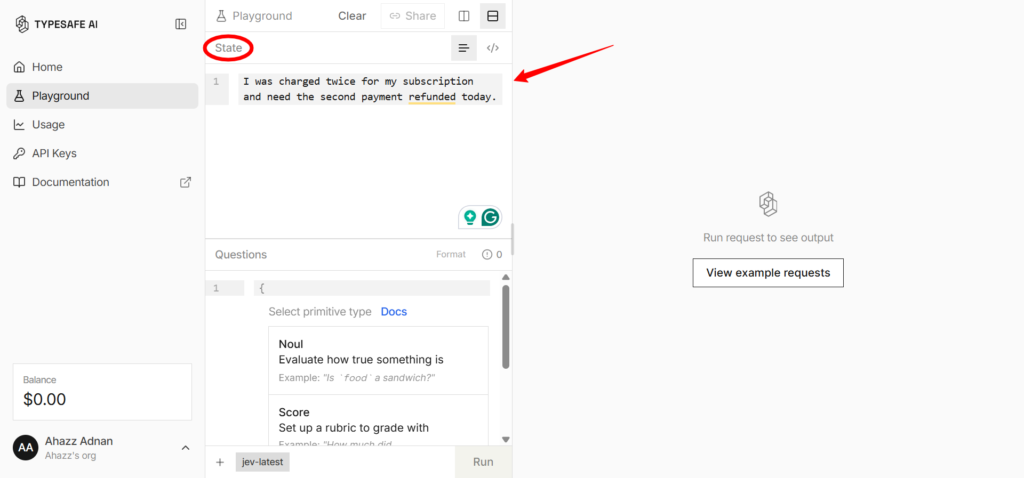
Inside the Playground, the first thing Jev needs is the information it should evaluate. TypeSafe calls this the state.
The state can be something as simple as a customer message, a paragraph of text, a query, or a group of related fields. Every question you ask in that request is evaluated against the same state.
For this guide, we’ll use the same example throughout:
“I was charged twice for my subscription and need the second payment refunded today.”
That sentence is our state. Jev now has the context, but it still doesn’t know what decision we want from it.
Step 3: Choose a Question Type
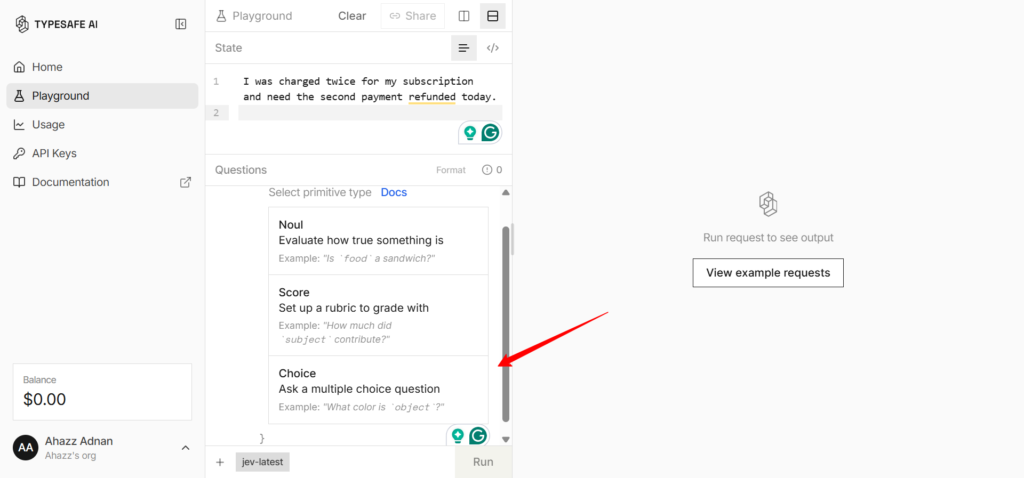
Once your state is ready, move down to the Questions section. Jev will ask you to select a primitive type, which is simply the type of decision you want the model to make.
| Question Type | What It Does | Example |
|---|---|---|
| Choice | Picks one option from a list you define | Which team should handle this request: Billing, Technical Support, or Sales? |
| Score | Rates something on an ordered scale | How urgent is this request? |
| Noul | Returns the probability that a yes/no statement is true | Is the customer asking for a refund? |
For our customer-support example, choose Choice because we want Jev to select one department from a predefined list.
Click Choice under the Questions section.
Jev will automatically create a new Choice question for you. You should now see a template containing fields such as:
- new_choice_1
- instructions
- criteria
- option_a
- option_b
- option_c
Don’t worry if this looks technical at first. We only need to replace the placeholder text with our own question and options.
Step 4: Set Up Your Choice Question
Now we can tell Jev exactly what decision we want it to make.
For our example, the question is: Which team should handle this request?
The three possible answers will be Billing, Technical Support, or Sales.
In the question Jev created, replace the default placeholders with information for our example.
Change the question key from:
- new_choice_1 → Department
- Which option best fits the state? → Which team should handle this request?
Next, replace the three default criteria with our departments and short descriptions:
- billing: Payments, subscriptions, charges, invoices, or refunds
- technical_support: Bugs, errors, or product problems
- sales: Pricing, purchases, or upgrade questions
Your finished question should look like this:
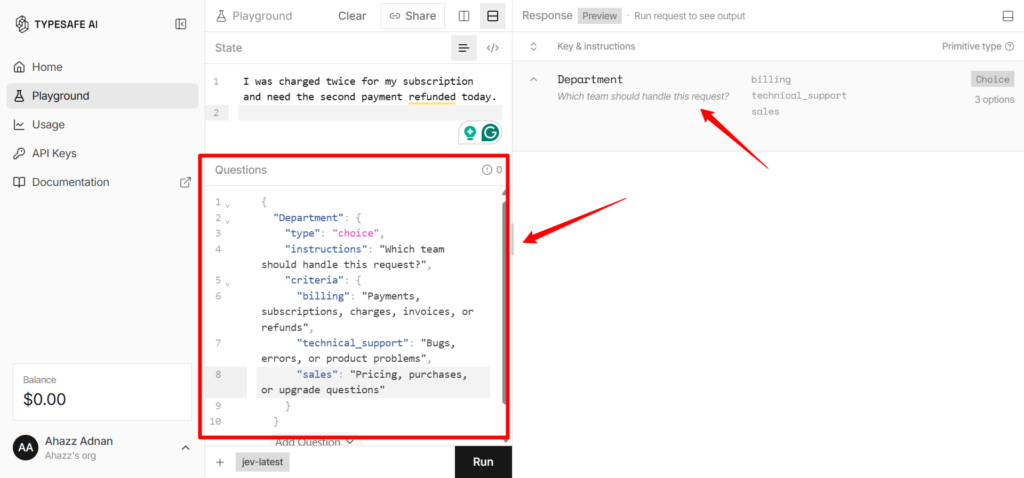
The descriptions matter because they give Jev a clearer definition of what each choice represents. Instead of simply seeing three department names, Jev also knows the kinds of problems that belong to each one.
At this point, our setup is complete:
- State: I was charged twice for my subscription and need the second payment refunded today.
- Question: Which team should handle this request?
- Choices: Billing, Technical Support, or Sales.
Step 5: Run Your First Jev Decision
Now that the state, question, and options are ready, you can actually run the request.
When you run the decision, Jev returns a typed answer rather than a paragraph. For a Choice question, that includes the option it selected along with a probability distribution across the available choices.
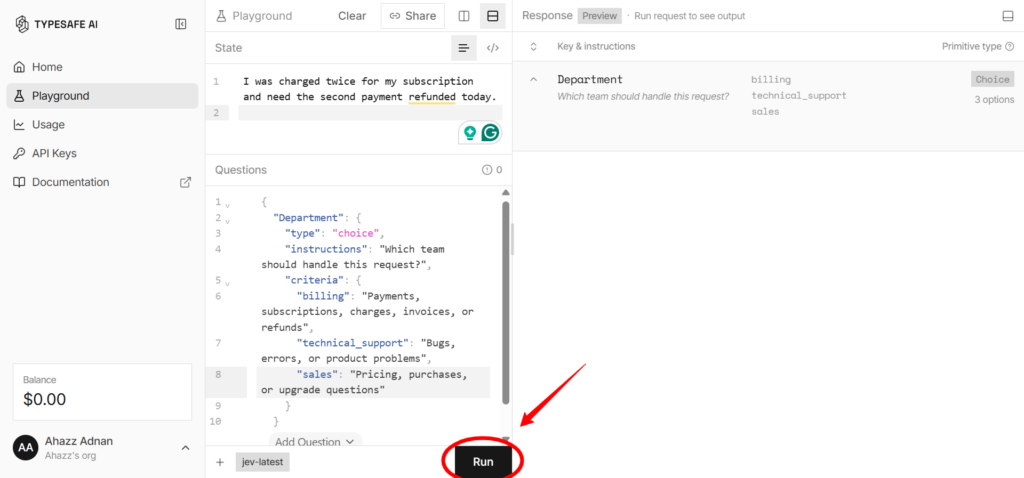
In this case, we’d expect Billing to come out on top because the message is clearly about a duplicate charge and refund.
Step 6: Understand Probability and Confidence
Whenever you ask something, Jev gives you information about how certain that decision is, which you can use later on.
For instance, a model choosing Billing is helpful, but your software also needs to know if that was an obvious decision or a close call. In case of Choice and Score questions, Jev returns both the probabilities and a separate confidence value.
Imagine Jev returned something like:
- Billing: 94%
- Technical Support: 4%
- Sales: 2%
That is a very different situation from:
- Billing: 45%
- Technical Support: 44%
- Sales: 11%
Billing wins in both cases, but the second result is much less certain. That is why TypeSafe recommends using confidence or probability thresholds to decide if your software should act automatically, ask for review, or stop and request more information.
One small distinction is worth knowing here: Noul does not return a separate confidence field. For a Noul question, the probability itself is the uncertainty signal you use.
Step 7: Ask Multiple Questions From the Same State
One useful thing about Jev is that you don’t have to send a separate request every time you want to make another judgment about the same piece of information. You can ask several independent questions against the same state in one request.
Using our earlier customer message, we can ask Jev all three of the features at once, like:
- Choice: Which team should handle this request?
- Score: How urgent is the request?
- Noul: Is the customer asking for a refund?
Each question is evaluated independently against the same state, and Jev returns a separate typed answer for each one. TypeSafe refers to this kind of pattern as speculative fan-out. This means breaking the problem into smaller questions that your code can inspect individually.
Once you’re comfortable doing this in the Playground, the next step is using the same decision logic outside of TypeSafe’s interface.
That becomes useful in a real support workflow. One result could determine which queue receives the ticket, another could flag urgency, and a third could decide whether the ticket needs a refund-review step.
So, that’s it. Enjoy using a totally different AI tool than your usual ChatGPT buddy.
Can You Use Jev Outside the Playground?
Yes, Jev can also be connected to your own apps, websites, and automated workflows through TypeSafe’s API.
To do that, you create an API key in your TypeSafe account and send your state and questions to Jev through the System One API. Jev returns the structured decision, and your own software decides what to do with that result.
For example:
Customer message → Jev API → Billing → ticket automatically routed to Billing
What Can You Actually Use Jev For?
Jev makes the most sense when your software needs to make a small, clearly defined judgment from information that is too messy for a normal if/else rule.
A good example is the customer-support message we used throughout this guide. A normal rule could easily detect a word such as “refund,” but real customer messages are rarely that predictable.
Someone might say they were charged twice without ever using the word “refund.” Jev can look at the full context and decide which predefined action or category fits best.
TypeSafe describes this idea as using Jev for things such as classification, routing, scoring, extraction, branching, verification, and guardrails inside software.
The table below shows a few situations where Jev can actually be useful.
| Use Case | What Jev Could Decide |
|---|---|
| Customer Support | Should this ticket go to Billing, Sales, Technical Support, or a human? |
| Urgency Detection | How urgent does this request appear? |
| Content Moderation | Does this message appear to violate a particular rule? |
| AI Agent Monitoring | Did the agent complete the task successfully, or should the run be reviewed? |
| Model Routing | Which model or workflow should handle this request? |
| Invoice Processing | Does this invoice need approval, correction, review, or another action? |
| Security Workflows | Does an incident require escalation, containment, or further investigation? |
When Should You Not Use Jev?
If your task requires generating something new, Jev probably isn’t the right tool. It doesn’t work like ChatGPT or Claude. Jev deliberately gives up open-ended string generation in favor of predefined, typed outputs.
You also shouldn’t use Jev for something your software can calculate exactly. If you need to add invoice totals, compare dates, check if two account numbers match, or perform another deterministic operation, normal code is the better option.
Jev also shouldn’t be treated as automatically correct simply because its output has the expected structure. TypeSafe says Jev’s outputs are type-safe and may include uncertainty information.
A Jev decision involving a support queue is very different from one that could affect money, account access, security, or another consequential action. In those cases, use thresholds, additional checks, or human review.
Frequently Asked Questions
Is Jev an LLM?
TypeSafe does not describe Jev as a smaller or conventional LLM. It calls Jev its first public System One Model, a model architecture designed specifically for making structured decisions inside software. TypeSafe AI
Unlike a typical LLM that generates text one token at a time, Jev returns predefined, typed outputs with probabilities and uncertainty information.
What Is the Difference Between Jev and ChatGPT?
ChatGPT is designed for open-ended language tasks such as answering questions, explaining concepts, writing content, and having conversations. Jev is designed for making structured decisions that software can use directly.
For example, you might ask ChatGPT to explain why a customer is unhappy. With Jev, you could instead ask if that customer should be routed to Billing, Technical Support, Sales, or Human Review.
Can Jev Make Wrong Decisions?
Yes, Jev’s output structure can be constrained so that it only returns allowed answer types, but that doesn’t mean the selected answer will always be correct. That is also why Jev returns probabilities and confidence information.
Your application can use those signals to decide when to act automatically and when a result needs additional review.
Can I Use Jev Without Coding?
Yes, the Jev Playground lets you experiment with states, questions, and decision types without first building an application. Coding becomes relevant when you want to connect Jev to your own website, app, backend system, or automated workflow through TypeSafe’s API.
What Are Choice, Score, and Noul in Jev?
They are the three main question types Jev currently uses. Choice selects one answer from a set of predefined options. Score rates something using an ordered scale. Noul evaluates a yes-or-no proposition and returns a probability. TypeSafe allows these question types to be mixed within the same request.
Can Jev Answer Multiple Questions at Once?
Yes. Multiple questions can be evaluated against the same state in a single request, and those questions can use different types.
For example, the same customer message could be used to decide which department should receive the ticket, how urgent it is, and whether the customer appears to be asking for a refund.
Is Jev Free?
TypeSafe currently charges for Jev based on usage rather than presenting it as an unlimited free service. Its public site lists Jev input pricing at $0.042 per million input tokens, while TypeSafe’s customer agreement says accounts use credits and that promotional credits may also be issued at TypeSafe’s discretion.