

Great communication is one of the most powerful tools for professional success.
It’s also surprisingly easy to get wrong, especially online.
There are days when virtual meetings feel effortless. Everyone shows up prepared, discussions flow smoothly, and decisions get made fast.
Other times, it’s chaos.
People join late. Microphones echo. Cameras are off. Someone talks for ten minutes straight while half the group is clearly multitasking.
It happens to all of us.
But here’s the truth: virtual meetings are no longer optional. They are now a core part of how businesses operate, teams collaborate, and leaders lead.
Surveys show that about 83% of employees spend up to one-third (≈33%) of their workweek in meetings, which includes virtual meetings as remote work grows. That means how you show up online directly affects your credibility, influence, and career growth.
And just like in-person meetings, etiquette matters.
In this post, I’ll walk you through a complete, practical guide to virtual meeting etiquette about what to do before, during, and after a meeting so you come across as professional, confident, and respected every single time.
- Why Virtual Meeting Etiquette Matters More Than You Think
- Step 1: Prepare Like a Professional (Before the Meeting)
- Step 2: Master Camera and Microphone Etiquette
- Step 3: Speak With Purpose and Respect
- Step 4: Use Chat and Reactions Wisely
- Step 5: Respect the Meeting Structure
- Step 6: Show Engagement Without Dominating
- Step 7: Follow-Up Is Part of Etiquette
- Common Virtual Meeting Etiquette Mistakes to Avoid
- The Bigger Picture: Etiquette Is Influence
- Final Thoughts
- FAQs
Why Virtual Meeting Etiquette Matters More Than You Think
Let me be honest.
When virtual meetings first became mainstream, most people treated them casually. Pajamas off-camera. Multitasking. Minimal preparation.
But today, virtual meetings are where:
- Hiring decisions are made
- Deals are closed
- Teams are evaluated
- Leadership potential is noticed
Your behavior in a virtual meeting sends constant signals whether you realize it or not.
Signals about:
- Your professionalism
- Your respect for others’ time
- Your communication skills
- Your reliability
Poor virtual meeting etiquette doesn’t just waste time. It quietly damages trust.
Good etiquette, on the other hand, builds authority without you saying a word.
Step 1: Prepare Like a Professional (Before the Meeting)

Most virtual meeting problems start before the meeting even begins. Preparation is the foundation of good etiquette.
1. Test Your Technology in Advance
This sounds basic, yet it’s one of the most common mistakes.
Before the meeting:
- Check your internet connection
- Test your microphone and camera
- Update your meeting app if needed
- Have headphones ready
Joining late because of “technical issues” once is understandable. Making it a habit looks careless.
2. Choose a Clean, Neutral Background
Your background speaks even when you don’t.
Best practices:
- Use a tidy, distraction-free background
- Avoid clutter, beds, or busy spaces
- If needed, use a professional virtual background
Your goal is simple: nothing should pull attention away from you.
3. Dress for the Role You Want
Yes, even for virtual meetings.
You don’t need to be overdressed, but you should look intentional.
Rule of thumb:
- Dress as if you’re meeting the person in real life
- Solid colors work better on camera
- Avoid overly casual clothing
When you dress professionally, you act professionally.
4. Join on Time (or Early)
In virtual meetings, punctuality is non-negotiable.
Joining late:
- Interrupts the flow
- Forces repetition
- Signals low commitment
Aim to join 2–3 minutes early. It shows respect and readiness.
Step 2: Master Camera and Microphone Etiquette
Your camera and mic are your body language in virtual meetings.
1. Keep Your Camera On (When Appropriate)
Camera-off culture hurts engagement.
Turning your camera on:
- Builds trust
- Shows attentiveness
- Humanizes the conversation
If bandwidth or personal reasons require it to be off, communicate that briefly. Silence creates assumptions.
2. Mute Yourself When Not Speaking
Background noise is one of the biggest virtual meeting distractions.
Best practice:
- Stay muted when not talking
- Unmute only when you’re ready to speak
This small habit instantly makes meetings smoother and more professional.
3. Position Your Camera at Eye Level
Looking down at a laptop camera creates an awkward angle.
Instead:
- Place the camera at eye level
- Sit straight
- Look into the camera when speaking
This mimics eye contact and makes you appear confident and engaged.
Step 3: Speak With Purpose and Respect
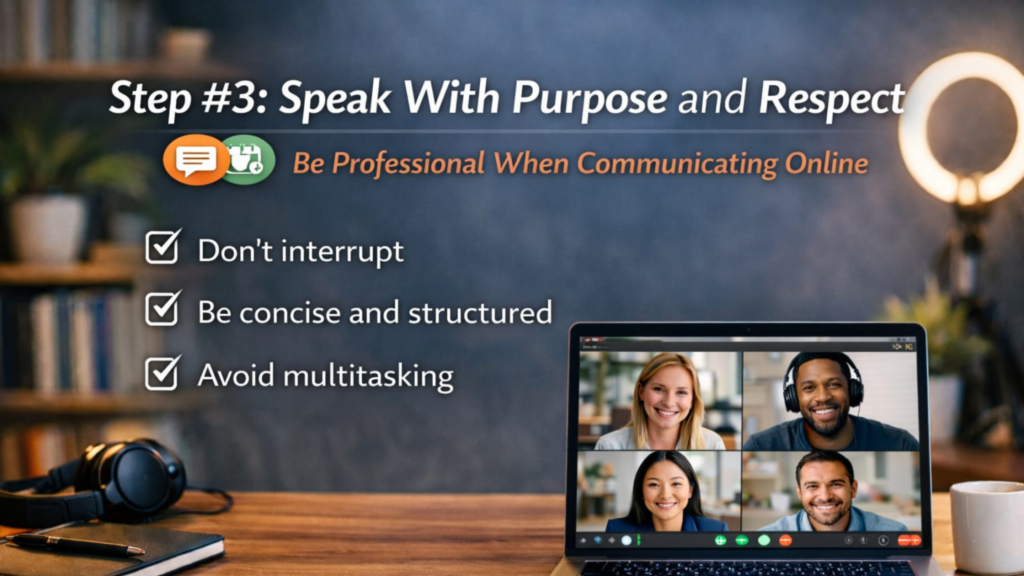
Virtual meetings magnify poor communication habits.
Here’s how to avoid them.
1. Don’t Interrupt
Online delays make interruptions worse than in-person ones.
Wait for:
- Clear pauses
- The moderator’s cue
If needed, use features like:
- “Raise hand”
- Chat box
This keeps discussions organized and respectful.
2. Be Concise and Structured
Long-winded explanations kill virtual energy.
Before speaking, ask yourself:
- What’s my main point?
- Can I say it in under 30–60 seconds?
Clear, structured communication earns attention.
3. Avoid Multitasking
People can tell.
Looking away constantly, delayed responses, or typing loudly signals disinterest.
If you’re in the meeting:
- Be in the meeting
Your focus is part of your etiquette.
Step 4: Use Chat and Reactions Wisely
Most platforms offer chat, emojis, and reactions but etiquette still applies.
1. Keep Chat Relevant
Chat should support the meeting, not distract from it.
Use chat for:
- Sharing links
- Asking short clarifying questions
- Supporting points
Avoid side conversations unless appropriate.
2. Be Professional in Tone
Written messages lack tone and context.
Avoid:
- Sarcasm
- All caps
- Informal language in formal meetings
When in doubt, be neutral and clear.
3. Use Reactions Sparingly
Reactions can:
- Show agreement
- Reduce interruptions
But overuse can feel distracting. Use them intentionally.
Step 5: Respect the Meeting Structure
Virtual meetings work best when structure is respected.
1. Follow the Agenda
If an agenda exists:
- Stick to it
- Don’t derail the discussion
If you have a new point, suggest parking it for later.
2. Respect the Moderator
Let the meeting host:
- Manage time
- Call on speakers
- Redirect discussion
Talking over the moderator or ignoring cues disrupts flow.
3. End on Time
Running over time without agreement is poor etiquette.
If discussion needs more time:
- Ask before extending
- Schedule a follow-up if needed
People plan their days around meetings.
Step 6: Show Engagement Without Dominating
Good etiquette is balance.
1. Participate Actively but Not Excessively
Contribute when:
- You add value
- Your input moves the discussion forward
Avoid speaking just to be heard.
2. Acknowledge Others
Simple phrases go a long way:
- “That’s a good point”
- “I agree with what you said about…”
This builds collaboration and respect.
3. Be Mindful of Cultural Differences
Virtual meetings are often global.
Be aware of:
- Time zones
- Communication styles
- Cultural norms
Politeness and patience matter more than ever.
Step 7: Follow-Up Is Part of Etiquette
Etiquette doesn’t end when the meeting ends.
1. Summarize Action Items
If relevant, send a short follow-up:
- Key decisions
- Action items
- Deadlines
This shows accountability and leadership.
2. Deliver on What You Commit To
Nothing hurts credibility faster than unfulfilled promises.
If you said you’d do something:
- Do it
- Or communicate delays early
Reliability is the highest form of professionalism.
Common Virtual Meeting Etiquette Mistakes to Avoid
Let’s make this practical.
Avoid these habits:
- Joining late without explanation
- Eating on camera
- Checking your phone constantly
- Talking over others
- Ignoring messages or questions
- Leaving abruptly without notice
Each one chips away at trust.
The Bigger Picture: Etiquette Is Influence
Virtual meeting etiquette isn’t about being rigid or robotic.
It’s about respect.
Respect for:
- People’s time
- Shared goals
- Professional standards
When you consistently show good etiquette, people notice even if they don’t say it out loud.
They trust you more.
They listen to you more.
They want you in the room virtual or otherwise.
Final Thoughts

I’ve seen incredibly talented people hold themselves back simply because of poor virtual meeting habits.
And I’ve seen average performers stand out by mastering the basics.
The difference wasn’t skill.
It was etiquette.
Virtual meetings are here to stay. Learning how to navigate them professionally is no longer optional, it’s a career skill.
Start small. Fix one habit at a time.
The results compound faster than you think.
To enhance your professional skills and thrive in digital marketing, visit our website Daily Digital Grind.
Related Link:
- The Ultimate Guide to Social Media Marketing for Small Businesses
- The Complete Guide to Freelance Digital Marketing
- What is Content Marketing Software?
FAQs
Why is virtual meeting etiquette important?
Virtual meeting etiquette is important because it shows professionalism, builds trust, and improves communication in remote work environments.
Should I keep my camera on during virtual meetings?
Yes, when possible. It increases engagement and helps build stronger connections.
What’s the most important virtual meeting etiquette rule?
The most important virtual meeting etiquette rule is respect everyone’s time by being punctual, focused, and concise.