
Pipedrive is a sales-focused CRM designed to help teams close deals faster. But on its own, it’s just one piece of your growth stack.
The real power of Pipedrive shows up when you integrate it with the tools your team already uses email, marketing automation, customer support, accounting, analytics, and more.
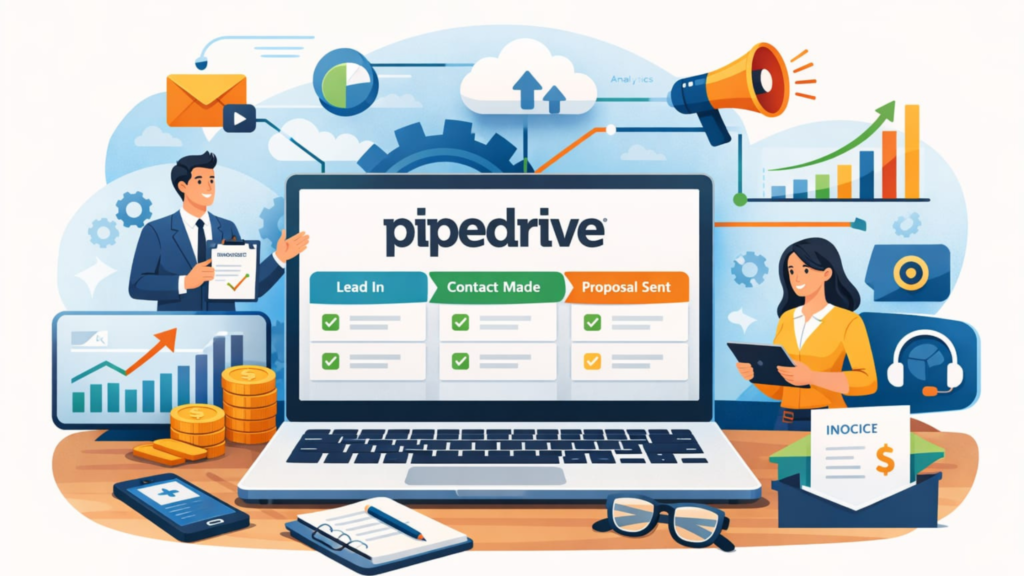
That’s where Pipedrive CRM integration becomes a growth lever, not just a technical task.
When integrations are done right, your sales team spends less time on manual data entry and more time closing deals. Your managers get cleaner data. And leadership gets a clearer picture of what’s actually driving revenue.
In this guide, I’ll walk you through how Pipedrive integrations work, why they matter, the most valuable integrations to prioritize, and how to implement them without breaking your workflows or your data.
Key Takeaways
- Pipedrive CRM integrations connect sales with marketing, finance, support, and analytics tools for a single source of truth.
- The best integrations reduce manual work, improve data accuracy, and speed up deal cycles.
- Native integrations are ideal for speed and reliability, while third-party tools unlock deeper automation.
- A phased integration strategy prevents data chaos and user resistance.
- Well-integrated CRMs directly improve revenue forecasting, customer experience, and sales performance.
- What Is Pipedrive CRM Integration?
- Why Pipedrive Integrations Important for Sales Growth
- Native vs Third-Party Pipedrive Integrations
- Essential Pipedrive CRM Integrations to Prioritize
- How Pipedrive Integrations Improve SEO & Revenue Attribution
- Best Practices for Implementing Pipedrive CRM Integrations
- Common Pipedrive Integration Mistakes to Avoid
- How to Choose the Right Integration Strategy
- Final Thoughts
- FAQs
What Is Pipedrive CRM Integration?
Pipedrive CRM integration is the process of connecting Pipedrive with other software tools so data flows automatically between systems.
Instead of copying information from emails, forms, spreadsheets, or support tickets into Pipedrive manually, integrations sync that data in real time.
For example:
- A lead fills out a website form → it appears instantly as a deal in Pipedrive.
- A sales rep sends an email → the conversation logs automatically under the deal.
- A deal closes → the invoice is created in your accounting software.
This is how modern sales teams scale without hiring more people just to manage data.
Why Pipedrive Integrations Important for Sales Growth
CRM adoption fails when it feels like extra work. Integrations fix that.
Here’s why Pipedrive CRM integration is critical:
1. Less Manual Work, More Selling
Sales reps lose hours every week updating CRMs. Integrations automate repetitive tasks so reps can focus on conversations, not clicks.
2. Cleaner, More Reliable Data
When systems sync automatically, you eliminate duplicate records, missing fields, and outdated deal stages. Better data leads to better decisions.
3. Faster Lead Response Time
Integrated CRMs route leads instantly. Speed matters responding within minutes can dramatically increase conversion rates.
4. Full Customer Visibility
When sales, marketing, and support data live together, teams understand the full customer journey, not just one touchpoint.
5. Scalable Sales Operations
As deal volume grows, integrations keep workflows efficient without adding operational complexity.
Native vs Third-Party Pipedrive Integrations
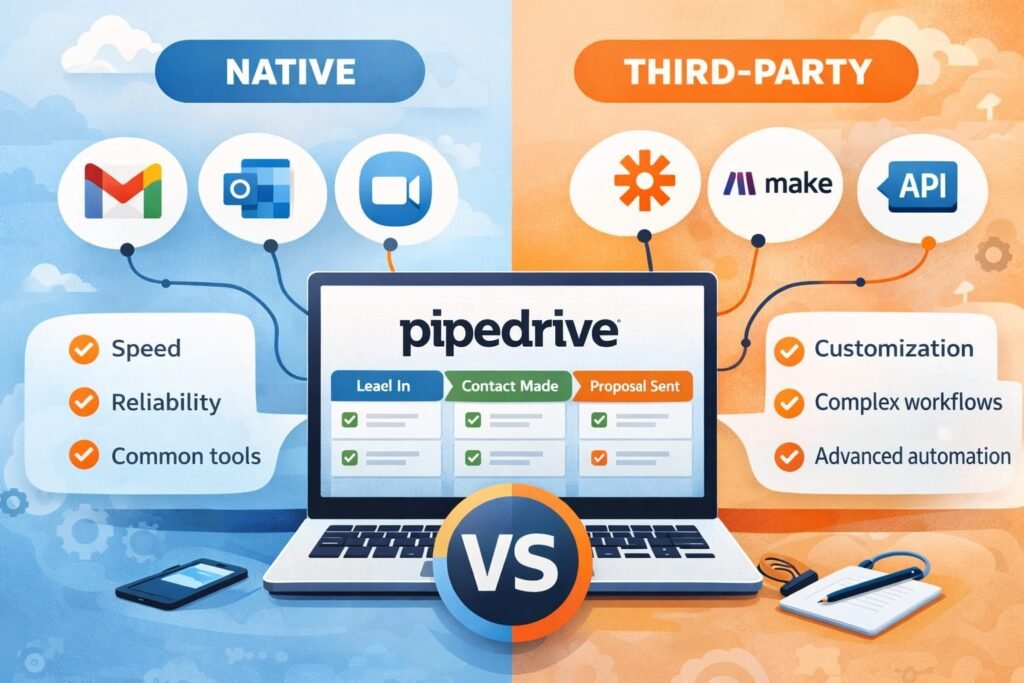
Pipedrive supports integrations in two main ways.
Native Integrations
These are built directly into Pipedrive and require minimal setup.
Best for:
- Quick deployment
- High reliability
- Common tools like Gmail, Outlook, Zoom, Slack, and Google Apps
Native integrations are ideal if you want speed and simplicity.
Third-Party Integration Platforms
Tools like Zapier, Make, or custom APIs allow advanced automation across hundreds of apps.
Best for:
- Complex workflows
- Multi-step automations
- Custom business logic
These require more planning but unlock far more flexibility.
Essential Pipedrive CRM Integrations to Prioritize
Not all integrations deliver equal value. Start with the ones that directly impact revenue and efficiency.
Email Integration (Gmail & Outlook)
Email is still the backbone of sales.
Pipedrive’s email integrations allow you to:
- Sync inboxes and sent emails automatically
- Track opens and clicks
- Attach conversations to deals and contacts
This ensures your CRM reflects real communication, not just notes.
Marketing Automation Integration
Connecting Pipedrive with email marketing or automation platforms aligns sales and marketing.
Key benefits:
- Automatically create deals from marketing-qualified leads
- Trigger campaigns based on deal stage changes
- Share engagement data with sales reps
This eliminates the handoff friction between teams.
Website & Form Integration
Every inbound lead should flow directly into your CRM.
Integrations with forms and landing pages allow you to:
- Capture lead data instantly
- Assign deals automatically
- Trigger follow-ups without delay
The faster leads reach sales, the higher the close rate.
Calendar & Meeting Scheduling Integration
Calendar integrations sync meetings, calls, and follow-ups automatically.
Sales teams benefit by:
- Avoiding double bookings
- Tracking activity history accurately
- Forecasting pipelines based on real engagement
It also improves accountability across teams.
Customer Support Integration
Sales doesn’t stop after the deal closes.
Integrating Pipedrive with support platforms helps:
- Sales reps see open tickets before outreach
- Account managers understand customer health
- Teams identify upsell and retention opportunities
This creates a smoother customer experience across the lifecycle.
Accounting & Billing Integration
When deals close, finance should be triggered automatically.
Accounting integrations enable:
- Invoice creation upon deal closure
- Revenue tracking inside CRM reports
- Cleaner handoffs between sales and finance
This reduces billing errors and improves cash flow visibility.
How Pipedrive Integrations Improve SEO & Revenue Attribution
Most teams underestimate how CRM integrations support SEO and content ROI.
Here’s how it works:
- Leads from organic search enter Pipedrive with source tracking.
- Deals can be attributed to specific keywords or content pieces.
- Revenue is tied back to marketing channels, not guesses.
This aligns with Google’s EEAT principles by supporting:
- Experience: Real customer interactions tracked
- Expertise: Data-backed decisions
- Authoritativeness: Clear attribution models
- Trustworthiness: Transparent performance metrics
When SEO teams can prove revenue impact, budgets get approved faster.
Best Practices for Implementing Pipedrive CRM Integrations
Integrations fail when they’re rushed. Follow these principles to avoid common mistakes.
Start With a Clear Objective
Don’t integrate tools “because you can.” Define what problem you’re solving speed, accuracy, visibility, or scale.
Map Your Data First
Decide which fields sync, in which direction, and how conflicts are handled before turning anything on.
Integrate in Phases
Start with one workflow. Validate results. Then expand.
Involve End Users Early
Sales reps should test integrations. If it slows them down, adoption will drop.
Monitor and Optimize
Check logs, sync errors, and performance regularly. Integrations are not “set and forget.”
Common Pipedrive Integration Mistakes to Avoid
Even powerful CRM integrations can fail if they are implemented without strategy and user alignment. Understanding these common mistakes helps you protect data quality, user adoption, and sales performance from day one.
- Over-automating without oversight.
- Syncing unnecessary fields that clutter CRM views.
- Ignoring data ownership rules.
- Failing to train teams on new workflows.
- Treating CRM integration as an IT project instead of a growth strategy.
Avoid these, and your integrations will support not sabotage your pipeline.
How to Choose the Right Integration Strategy

Ask yourself:
- Do we need speed or customization?
- Are our workflows simple or complex?
- Who owns CRM data internally?
- How will success be measured?
For most growing teams, a hybrid approach works best: native integrations for core tools, third-party automation for advanced workflows.
Final Thoughts
Pipedrive CRM integration isn’t about connecting software, it’s about connecting teams, data, and decisions.
When done right, integrations:
- Increase sales productivity
- Improve customer experience
- Strengthen reporting and forecasting
- Support long-term, scalable growth
If your CRM feels like extra work, the problem usually isn’t the tool. It’s the lack of integration.
To streamline your sales process and scale revenue with smarter automation, explore expert CRM insights on our website Daily Digital Grind.
FAQs
What is the best Pipedrive CRM integration for small businesses?
For most small businesses, email and form integrations deliver the fastest ROI. They automate lead capture and communication tracking without complex setup.
Can Pipedrive integrate with marketing automation tools?
Yes. Pipedrive integrates with many marketing platforms directly or through automation tools, allowing seamless lead nurturing and sales alignment.
Are Pipedrive CRM integrations secure?
Pipedrive follows industry-standard security practices, and integrations use authenticated APIs. Security also depends on how third-party tools are configured and managed.